
Getting started
These docs are general and will help you find the right content for your partner.
Partners who manage their groups with Bilby have their own URLs, so when using these guides, make sure you're on a partner site registered with Bilby.
For these examples we'll use the fictional club "Bilby Social Club", available at an address like "https://social-club.bilby.cloud".
What is Bilby?
Bilby (or Bilby Club Manager) is software designed to help groups manage their members — clubs, not-for-profits, social groups and more. We focus on making the experience great for administrators and users alike.
If you're interested in trying out Bilby, contact us.
Create your account
Before you do anything in Bilby, you need to create an account. Find a Get Started button and follow the prompts. Make sure you have access to your email to verify your account!

Bilby will ask you to fill out some information and verify your account. Some partners may require more details.
Once you've created an account, you'll be able to manage your personal information, request help and support, view activity details, and create bookings!
View the account section for more on managing your account.
Create a booking
Bilby makes it easy to communicate with people running activities.
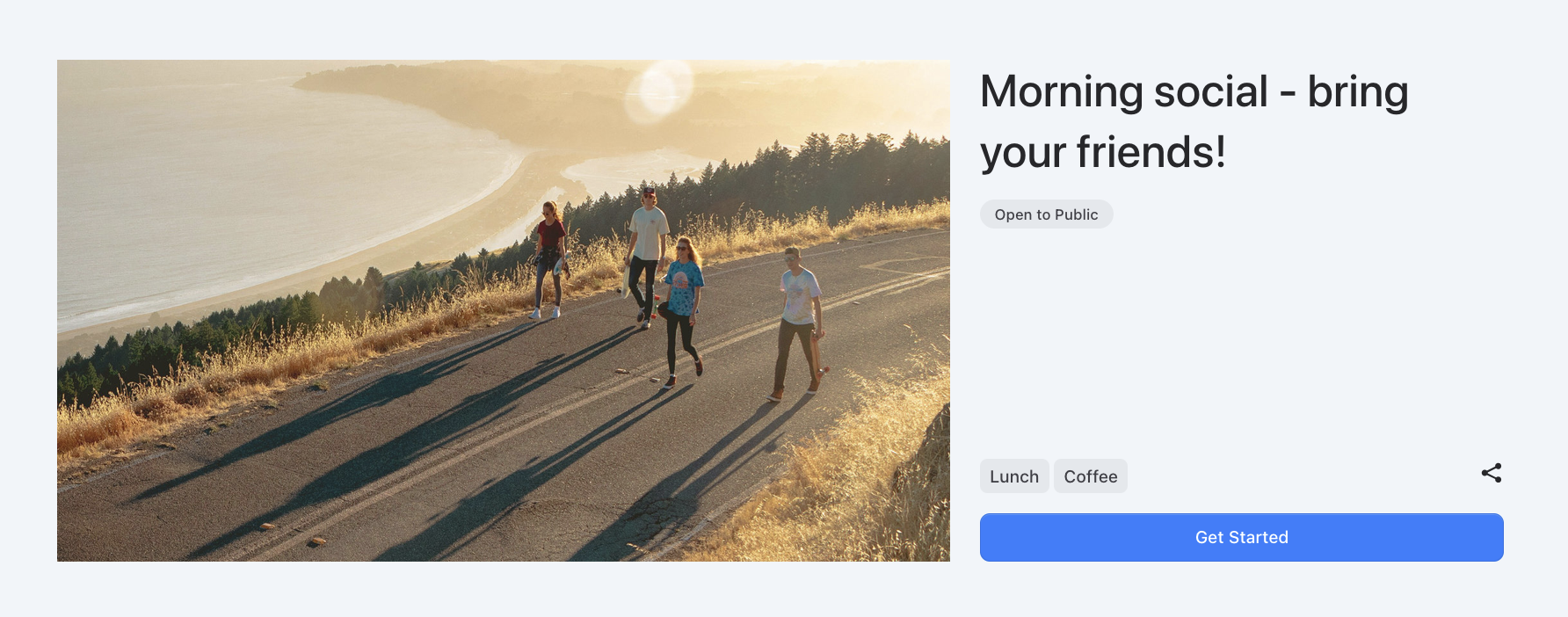
Go to the list of upcoming activities and look for anything Open to public — you can create a booking for it.
INFO
Some partners may limit activities to Members only. In that case, check out the Membership page to see how to complete your account and get access to membership products.
Someone running the activity will be notified that you've created a booking, and they'll start processing it.
When your booking is updated, you'll be notified. If it's approved, you'll be able to attend the activity and meet other members.
Become a member
Bilby makes it easy to sign up with a group as a member and purchase any available membership products. Once you've created your account, navigate to the Membership page to see if you're ready to make a purchase.
Bilby will guide you through the next steps and let you know what you need to complete on your account before you can purchase membership.
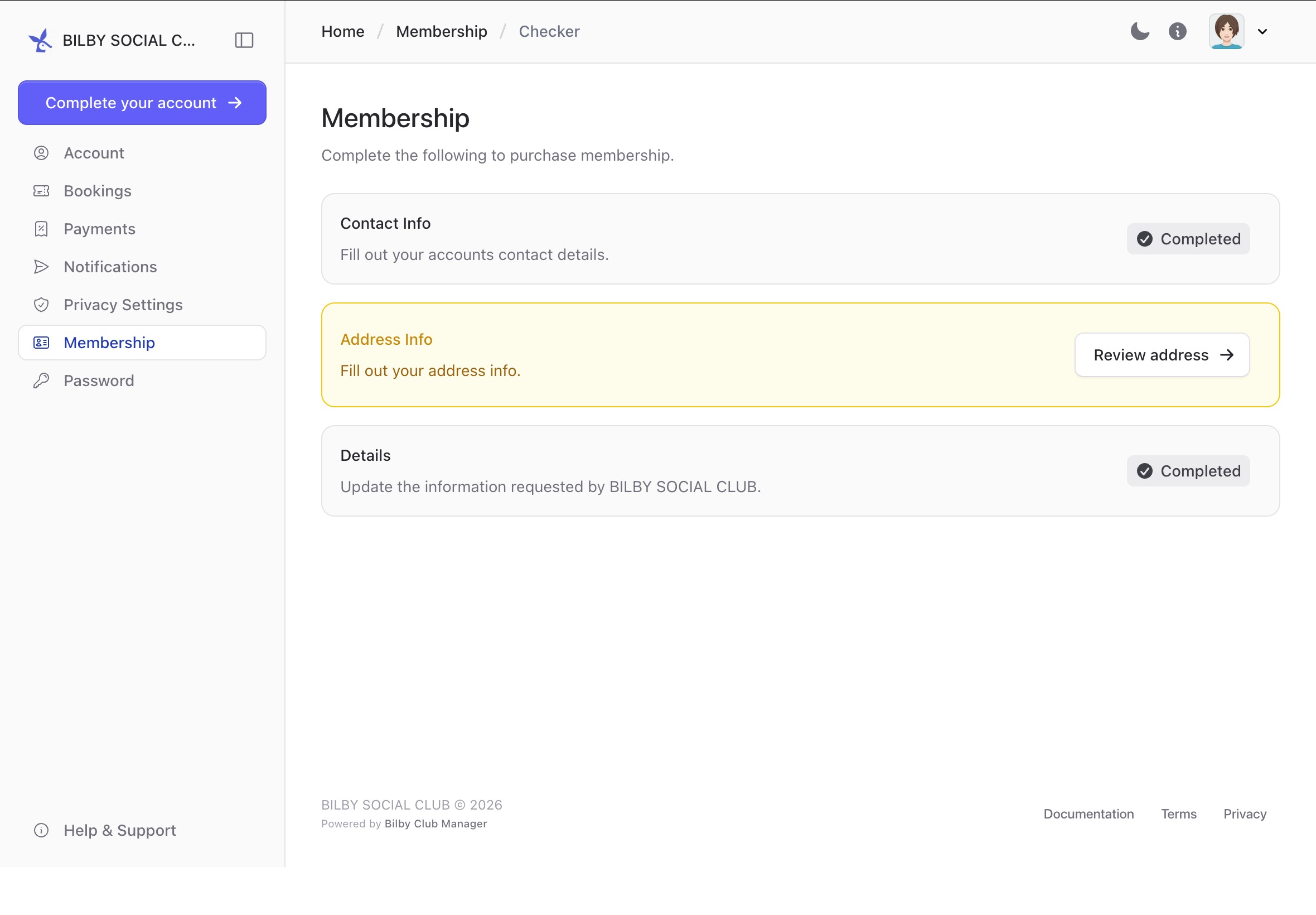
Complete any items, then come back to this page to see available membership products.
TIP
Some partners require you to attend some bookings before applying for membership!
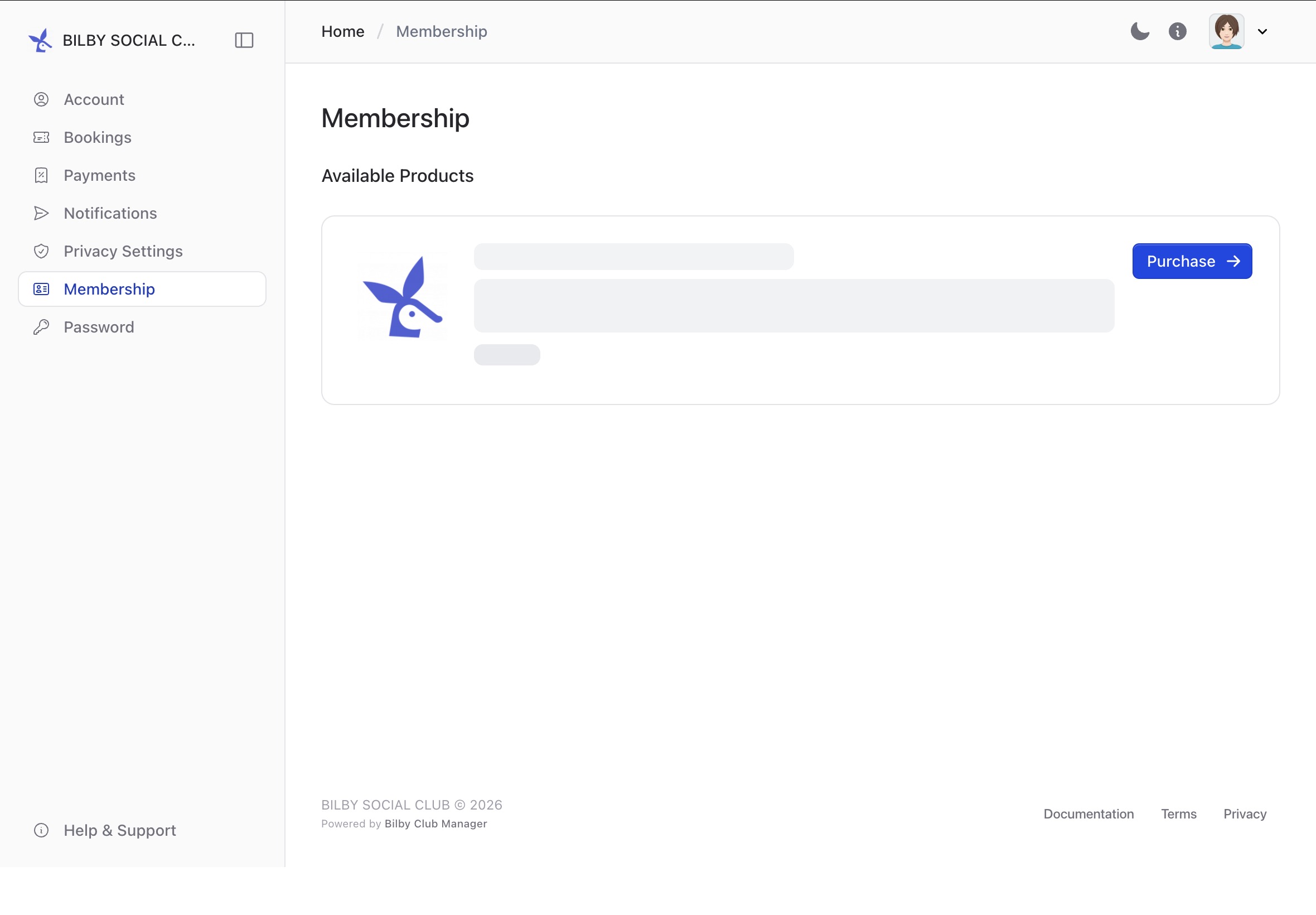
Once products are available, you can make a purchase by clicking the product and continuing with the purchase.
Ask for help
Heed help or have a question? Visit the Help and support page for more information.