
Super Admin
Super Admins have the highest level of administrative access in a Bilby club. They can manage site configuration, payment configuration, activity configuration, user configuration and other club-wide settings.
A club can have up to three Super Admins. Super Admins can also assign officer roles to other users, giving them access to specific areas of the club.
Choosing Super Admins
Super Admin access should be given to users who are confident managing systems and supporting others in the club.
Super Admins have access to club-wide settings and user administration, so choose users who can take responsibility for managing the club's Bilby configuration.
Bilby club structure
Bilby uses roles to control which parts of a club each user can access. Super Admins have the broadest access, while officer roles provide access to specific areas such as users, activities and finances.
The right people, the right access
Bilby gives your club the tools to manage users, activities and more. Here's how roles work.
Super Admin
The highest level of access. Super Admins set up and configure your Bilby site, manage services and assign officer roles.
- Configure your site and activities
- Assign officer roles
- Connect and configure payments and other services
- Direct contact with our team
Officers
Officers handle the everyday administration of your club. They manage users, activities, communications and reports — everything except site configuration.
- Manage user accounts
- Oversee activities and bookings
- Send communications and manage message board
- Access reports and analytics
Activity Owners
Activity owners run and administer specific activities. They can manage bookings, check-ins and communicate with users on their activities.
- Create and manage activities
- View and manage bookings
- Communicate with users
- Check-in and manage attendance
Members & Guests
Regular users who join your activities, book events and stay connected.
- Browse and book activities
- Manage their profile and membership
- Receive updates and communications
- Join as a guest (where allowed)
Configure your site
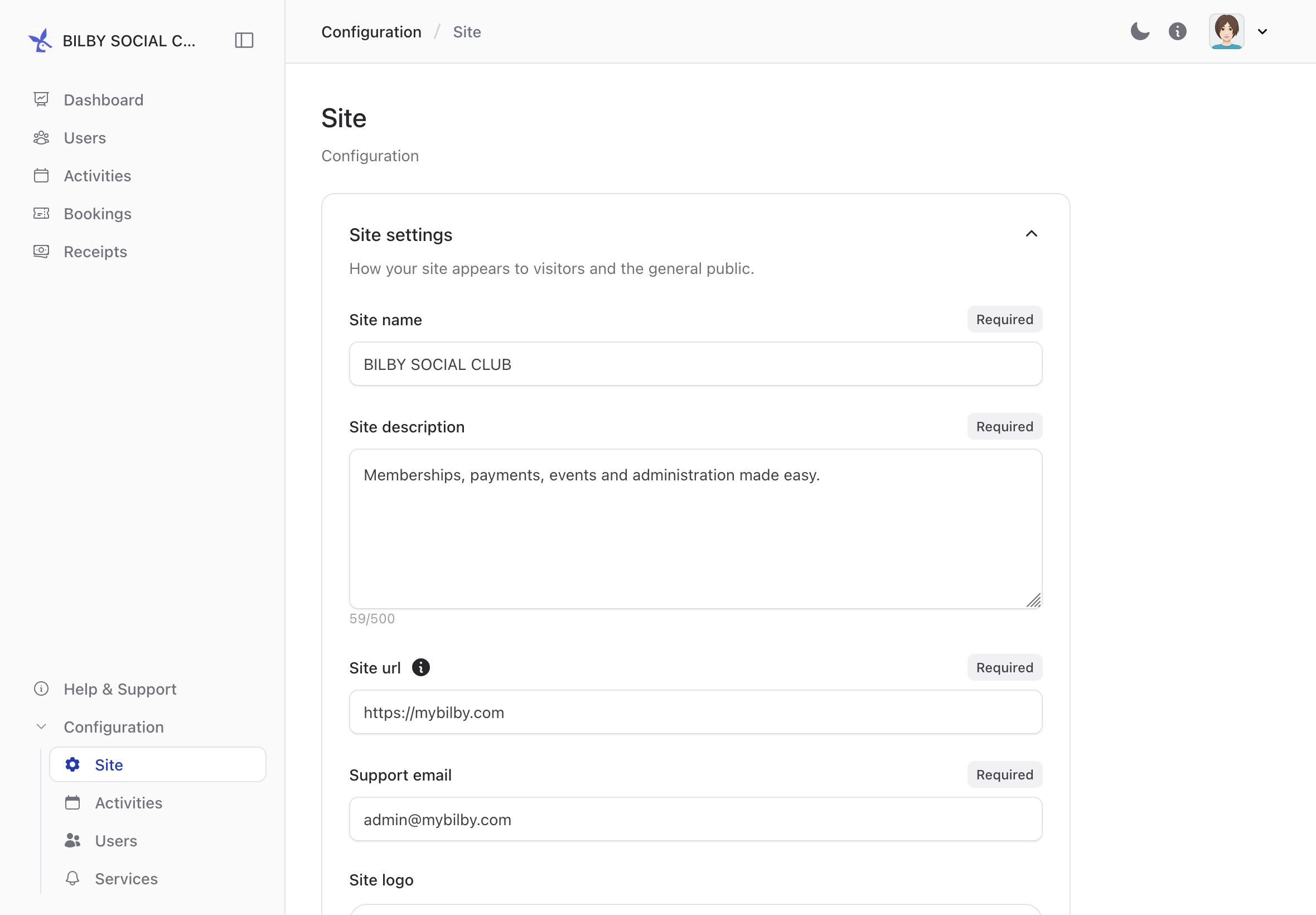
Super Admins can access the club's site configuration from any administration screen.
To open the site configuration, go to Administration and select Configuration from the sidebar. The Configuration option is located near the bottom of the sidebar.
Assign officer roles
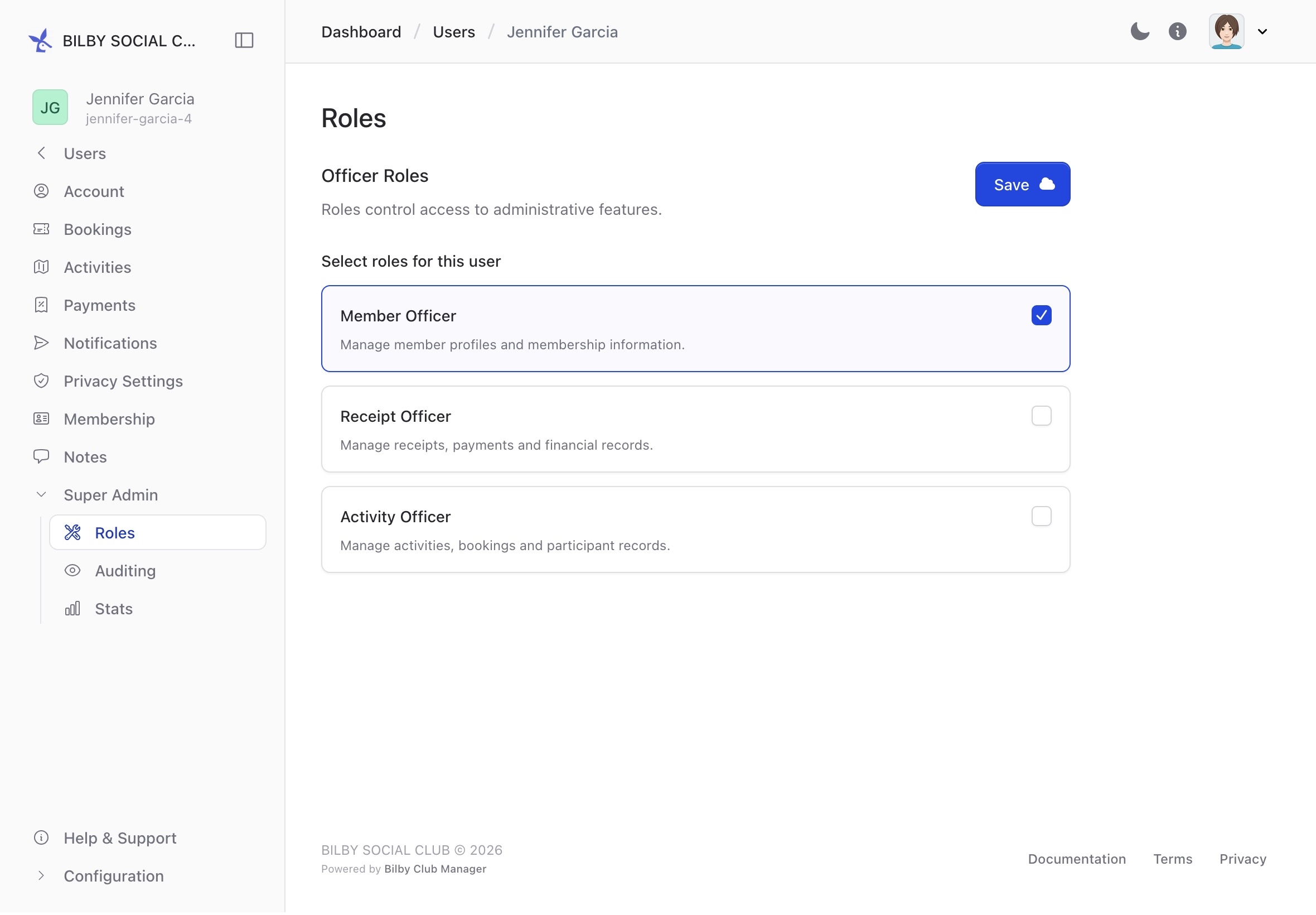
Super Admins can assign officer roles to users in their club. Officer roles provide access to specific areas of Bilby without giving the user full Super Admin access.
To assign an officer role, open the user's account and select Super Admin from the sidebar. Find the Roles section, select the role to assign, then save the changes.
The user's access will be updated immediately. For example, assigning the Activity Officer role allows the user to access other users' activities and bookings.
Get help and support
Super Admins can contact Bilby for help with their club or questions about using Bilby.
If you need help, contact your Bilby customer service representative. Bilby can provide assistance with questions about your club and its configuration.